
Setting Up Giscus Comment Section with Hugo
 滑翔闪 included in Hugo Customization and Hugo Customization
Nowadays, there are many mature solutions for comments in Hugo. Waline is powerful and easy to use, but it’s a bit unfriendly for newcomers like me (for example, I don’t know how to configure Waline to automatically switch between Chinese and English); Gitalk uses the Issues section of a GitHub repository as the comment area, which is easy to set up but has some permission grant issues (as discussed here discussion). Therefore, I choose Giscus—simple to set up and secure.
Environment: Hugo Enhanced Edition (V0.123.7) + Windows 64 AMD + LoveIt Theme
Creating a GitHub Repository as the Comment Area
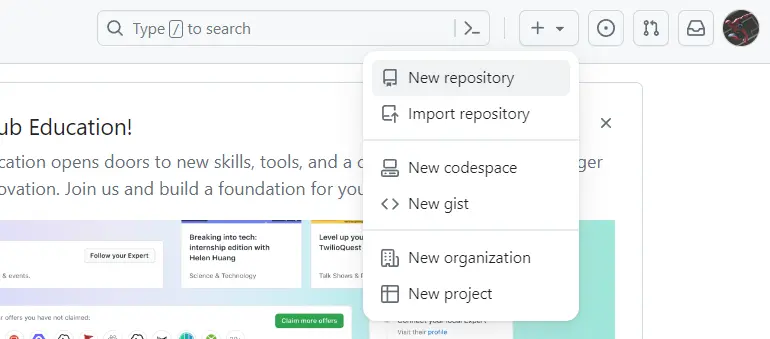
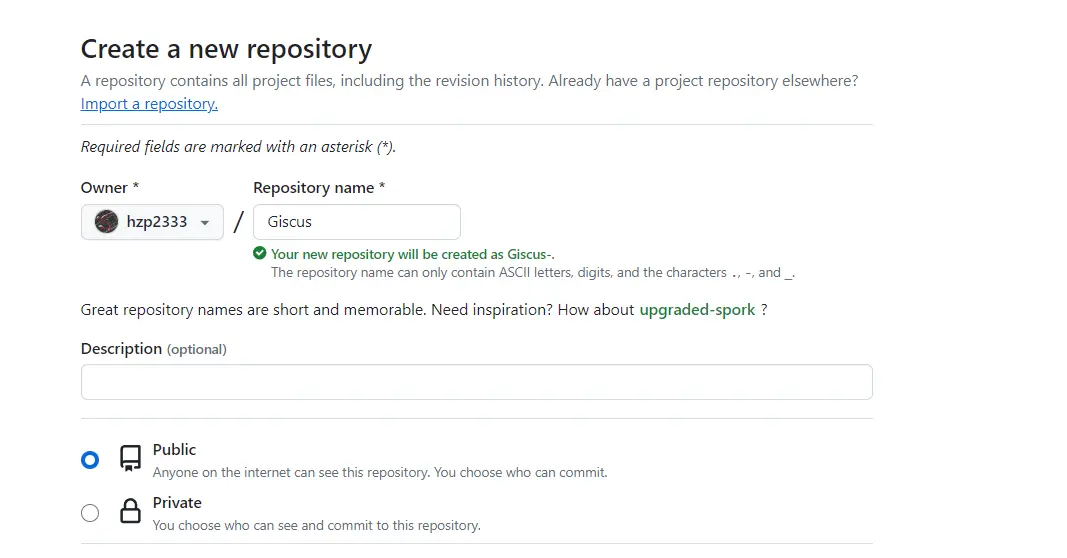
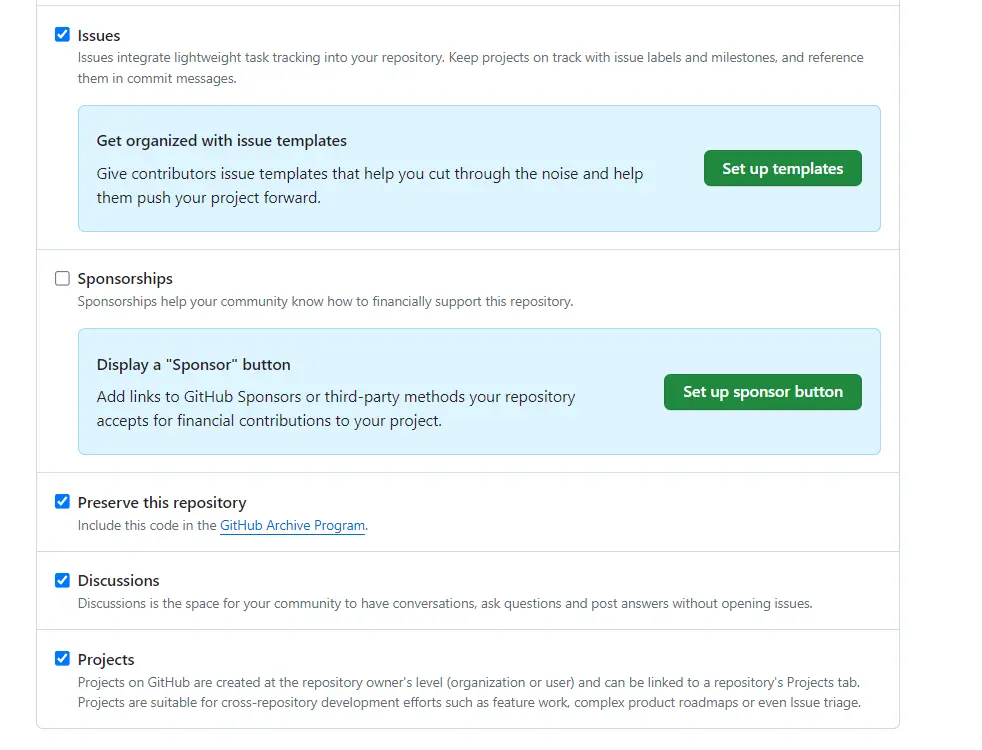
After selecting the options, click “Create repository” to create it. Once created, enter the repository and enable Discussions to open the discussion area.
Enter Giscus Official Website to Obtain the Code
Go to the Giscus official website, click “Install,” and enter the repository you just created.

For the settings, I chose the default:
- Page ↔️ Discussion Mapping: Select “Discussion title contains the page’s
pathname” - Discussion Category: Select “Announcements”
- Theme: Select “User-recommended color scheme”
After checking, the page will display the corresponding call code:
Pay special attention to data-repo, data-repo-id, data-category, data-category-id, and data-mapping values.
| |
Hugo Configuration
Modify the toml Configuration
In the config.toml file of your personal website project, add the following content:
| |
Hugo Rendering
hugo serve is the local preview environment and will not enable the production environment.
Start hugo serve -e production to render and start the production environment, enabling the comment section.
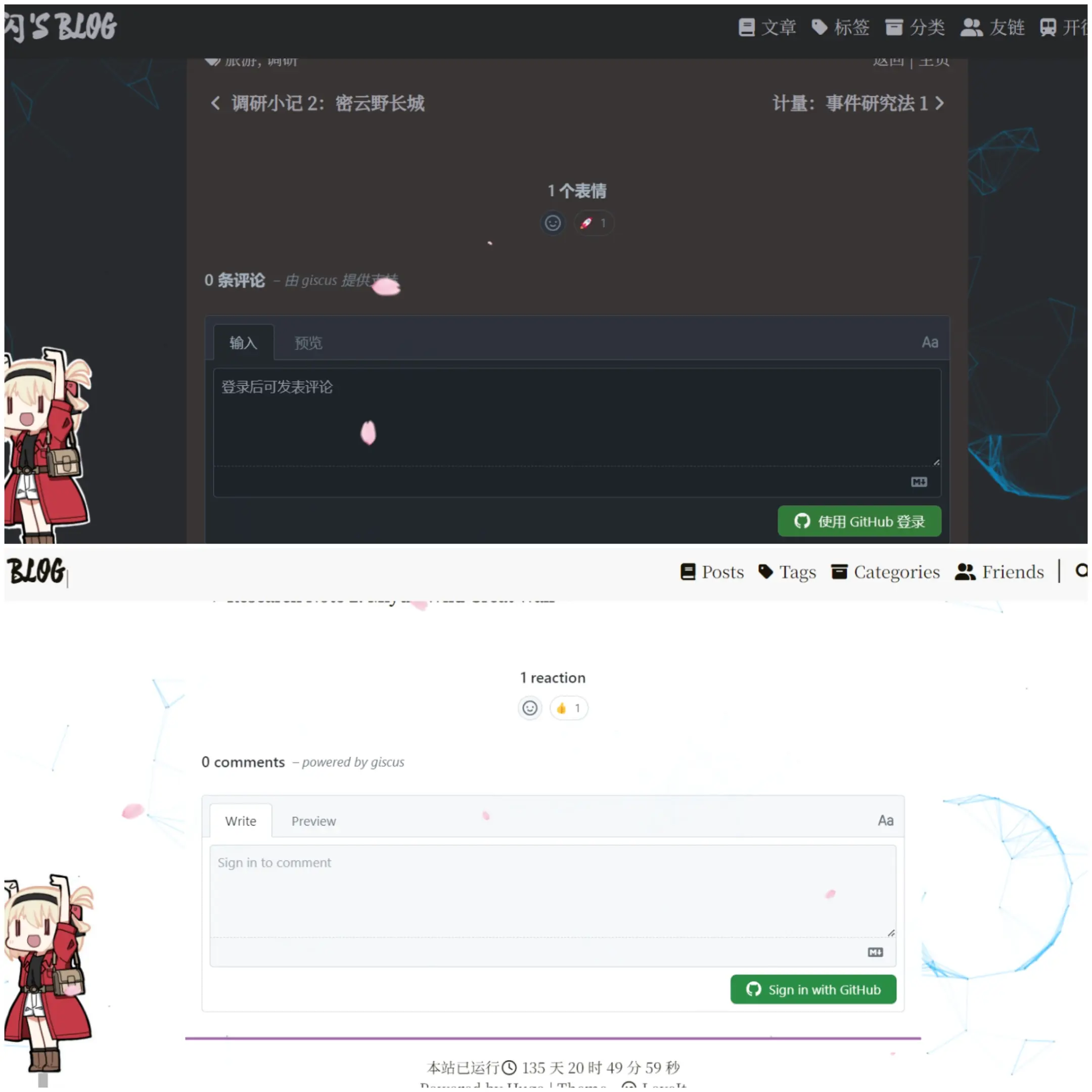
Pay Attention to Version Control
Follow the above method strictly. Using the LoveIt theme, but the comment section did not appear. It might be due to version mismatch. LoveIt page, directly download and unzip via code. The latest release code is actually several versions behind! It does not support giscus.