
PyTorch Setup Error: [WinError 126] The specified module could not be found.
 滑翔闪 included in Software Tools and Python Environment Setup

People generally use pytorch to build neural networks these days. Building them needs the CUDA + python + pytorch trio. Here are some installation details.
Recommended installation tutorial:
This post supplements the parts the videos after 2024 didn’t emphasize.
The Chinese pdf in the video is more detailed than the official download instructions, so I recommend it.
Installing CUDA
Version matching
Note: CUDA and pytorch versions correspond one-to-one, it’s not a matter of downloading the latest.
For example, as of July 26, 2024 — the latest CUDA version is 12.7, but pytorch has no matching version for it.
Version matching can be checked on the pytorch official site.
Downloading CUDA
After downloading from the CUDA official site, the first time you choose a download location.
At this point the download location is temporary installer storage — the folder is deleted after downloading.
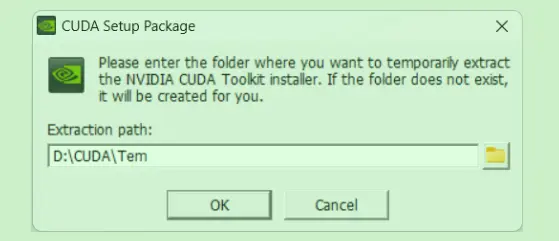
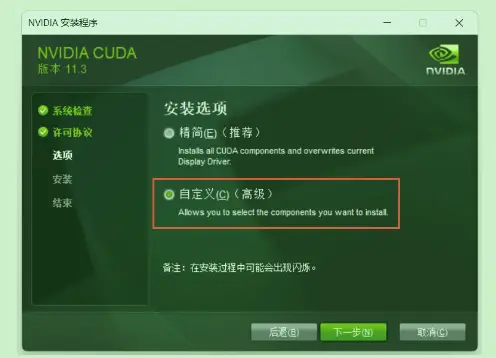
The second custom install location is the real CUDA install location. If the second location is the same as the first, the files will be deleted.
Installing Pytorch
After installing according to the tutorial, running it in python gives the following error:
| |
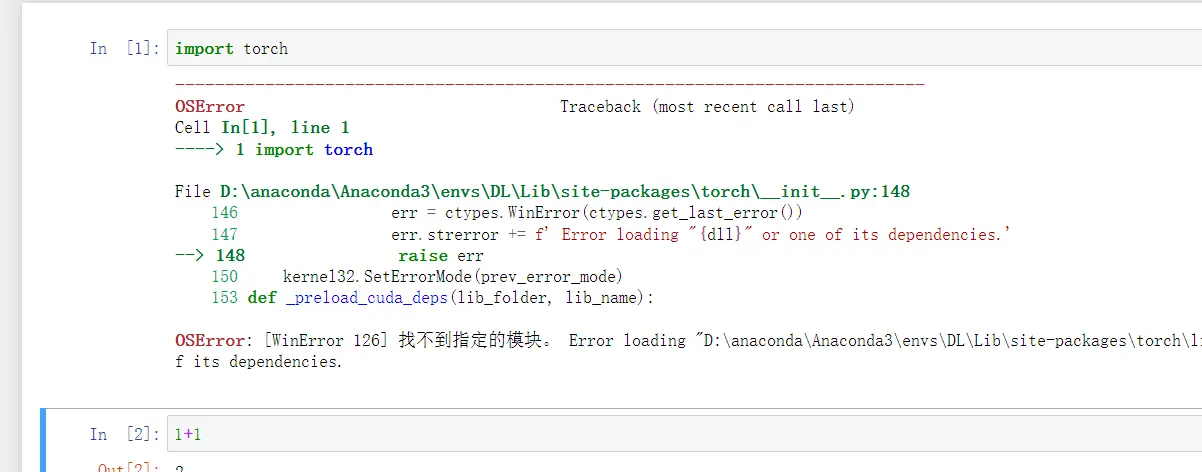
The real cause is that the WIN11 environment conflicts with Pytorch. Many python-related component errors are the same issue.
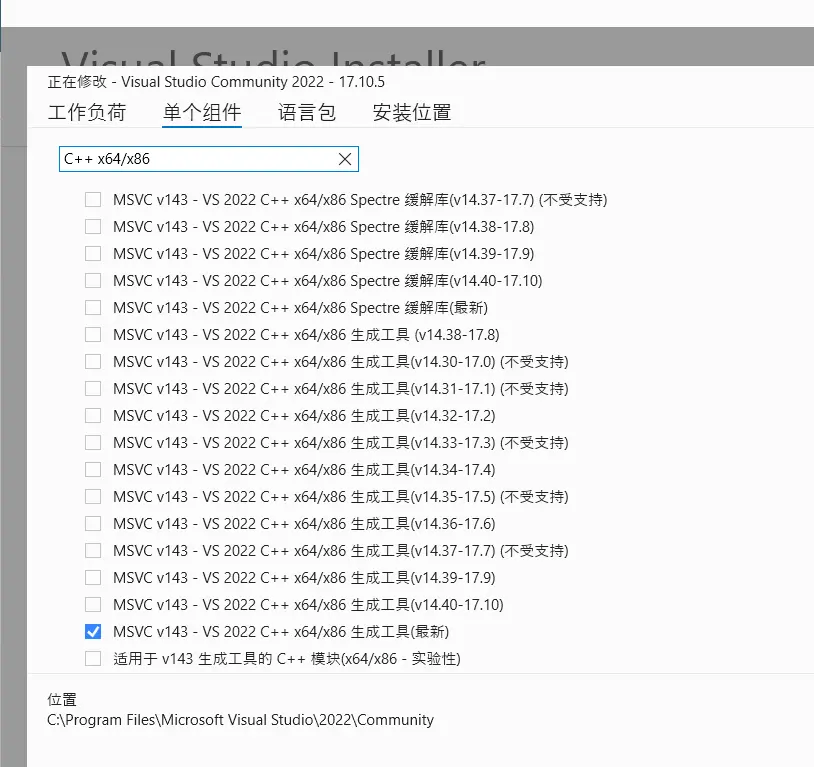
The solution is to download visual studio
and download MSVC v143-VS 2022 C++x64/x86 生成工具(最新) inside it.
The English name is
MSVC v143 -VS 2022 C++ x64/x86 build tools (Latest)
References
- [OSError: [WinError 126] The specified module could not be found]( https://github.com/pytorch/pytorch/issues/131662 )
- LeNet study notes